
Helping at a meet (crew jobs)
Sign up to help at a meet, confirm a job the club gave you or say you can't make it, add it to your calendar, and choose which crew emails you get. No login needed.
Meets run on helpers: officials, pit crew, the starter, the announcer, friends and family. The club calls the people who help affiliates, and the people working one meet its crew.
Sign up to help
- Open the club's Help at this meet link, or tap Help at this meet on the meet's page.
- Pick a job. Each shows its arrival time and how many spots are left.
- Signed in? Tap Sign me up. Otherwise type your name, email and phone first.
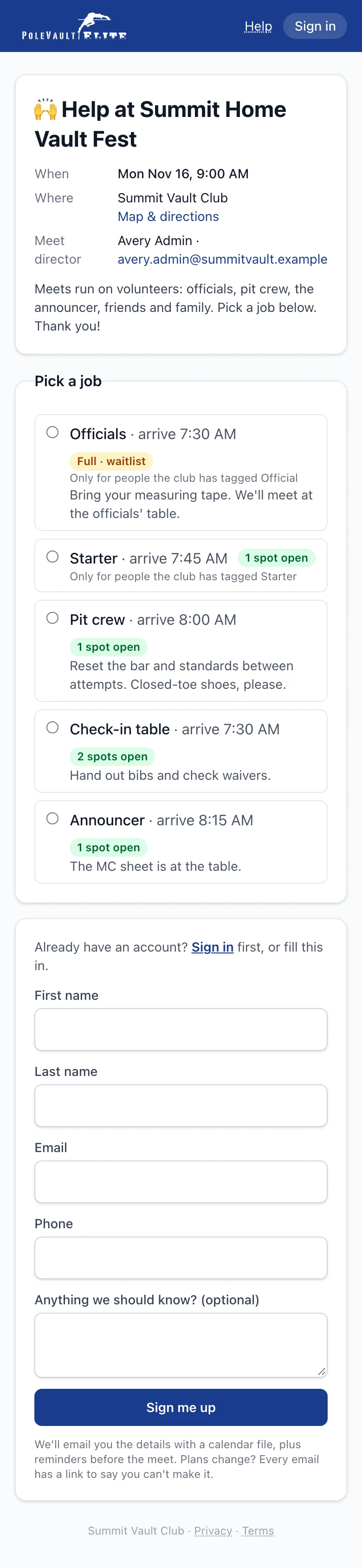
You're confirmed straight away and get an email with the details and a calendar file. If the job is full you go on the waitlist, and we email you if a spot opens up. Some jobs, like Officials, are only for people the club has tagged.
Your jobs: My meets
Every crew email has a private link to your jobs, so you don't need a password. Signed in, your jobs are at the top of Meets → My meets under Helping at.
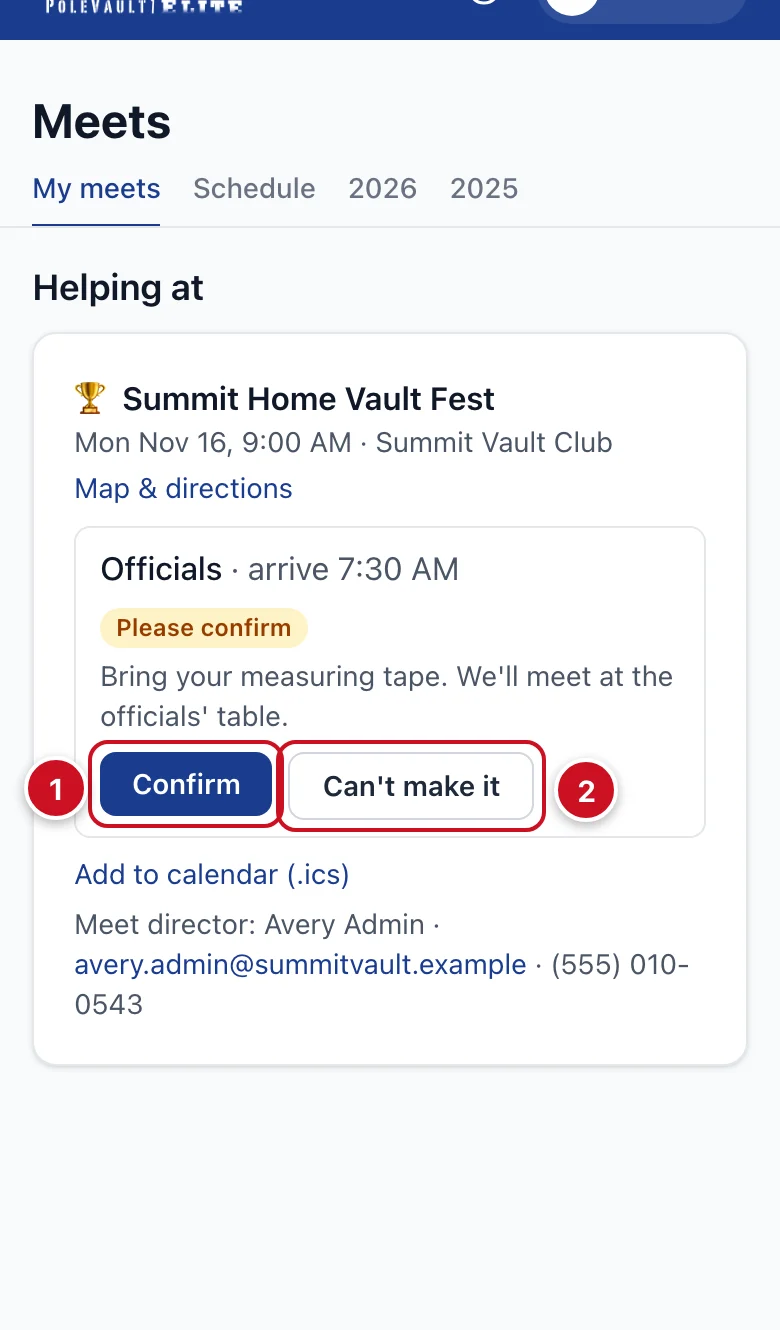
- When the club gives you a job, it says Please confirm. Tap Confirm (1).
- Plans changed? Tap Can't make it (2), so the club can find someone else.
- Add to calendar (.ics) puts the job in your phone's calendar.
- The meet director's contact is at the bottom.
Emails you'll get
- A confirmation when you sign up or the club gives you a job, with the job, arrival time, place and map, the director's contact and a calendar file.
- Reminders a few days and the day before.
- A note whenever the time, date or place changes, or the meet is cancelled.
- Sometimes a thank-you after the meet.
Confirmations and changes always come. To stop reminders and thank-yous by email, untick Meet crew in Profile → Notifications, or use the unsubscribe link in a reminder. See Choose your notifications.
Want to sign in?
Ask the club for a login invite, or use Set a password on your private My meets page. After signing in you can add Face ID or a passkey. If you're only helping (not a member), you'll see My meets, Help and Profile.
Already a member? Your crew jobs simply show on your My meets too.